Autodesk Account
Login, Verification & Download Guide
Step-by-step guide to log in to your Autodesk account,
confirm your email, and download your authorized software.

Open one of the official Autodesk login pages:
manage.autodesk.com accounts.autodesk.com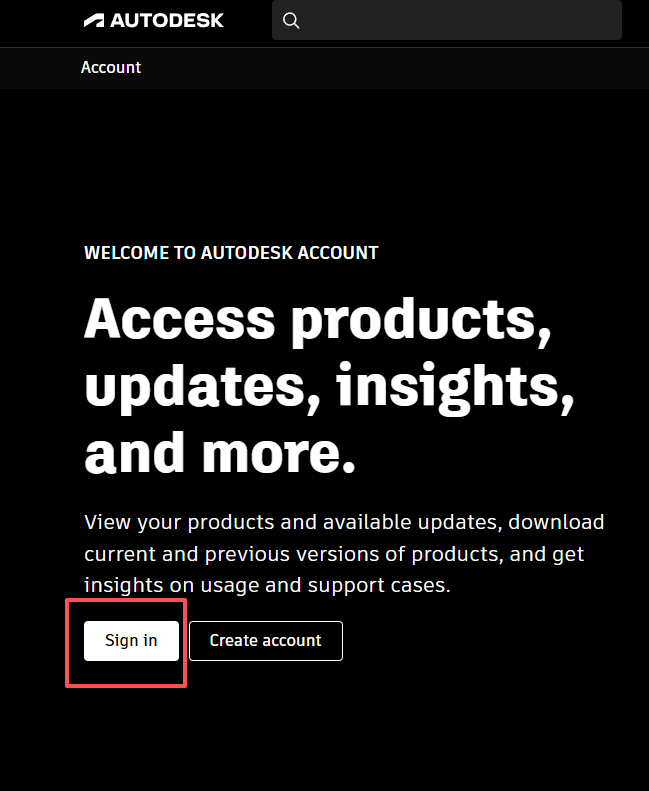
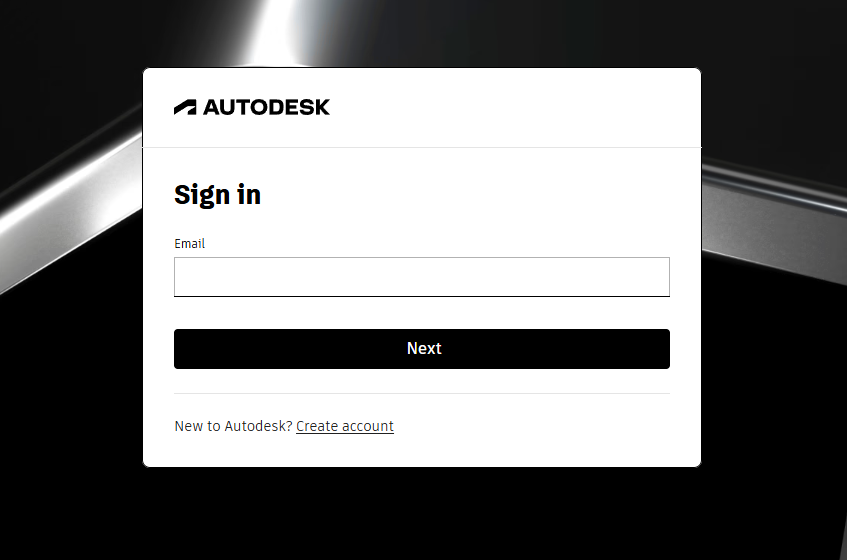
Enter your Autodesk ID (email) and password to sign in.
If 2-Step Verification is enabled, follow the on-screen instructions.
Tip:
Enterprise users may be redirected to a company SSO login page.
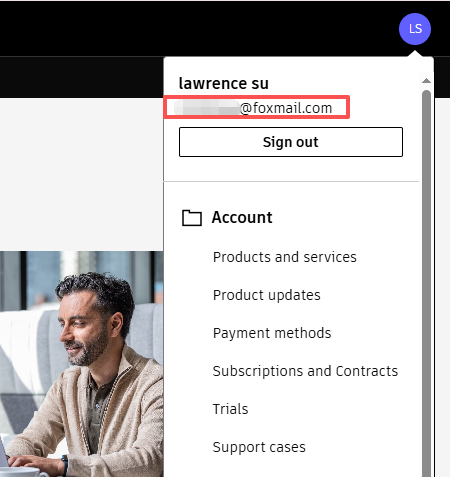
After signing in:
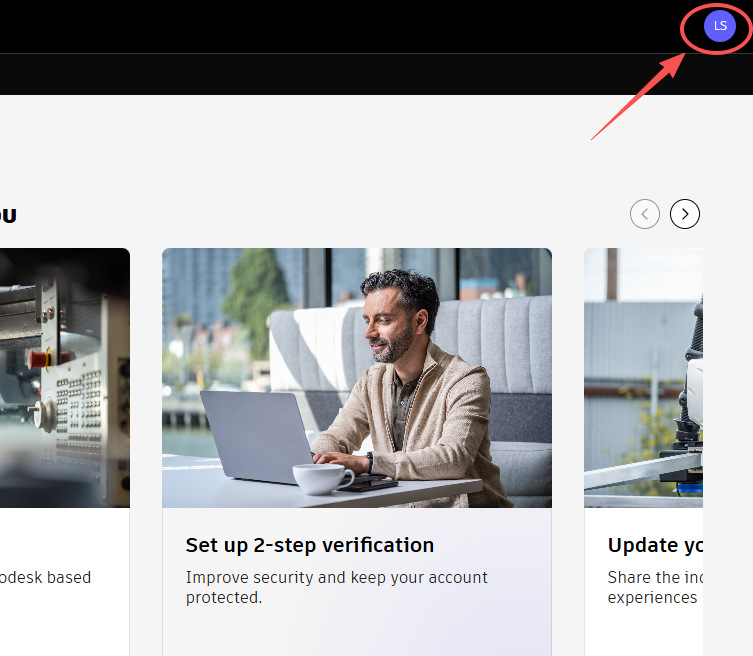
On the Profile page, locate the Email field.
This is the email address linked to your Autodesk license.
Tip:
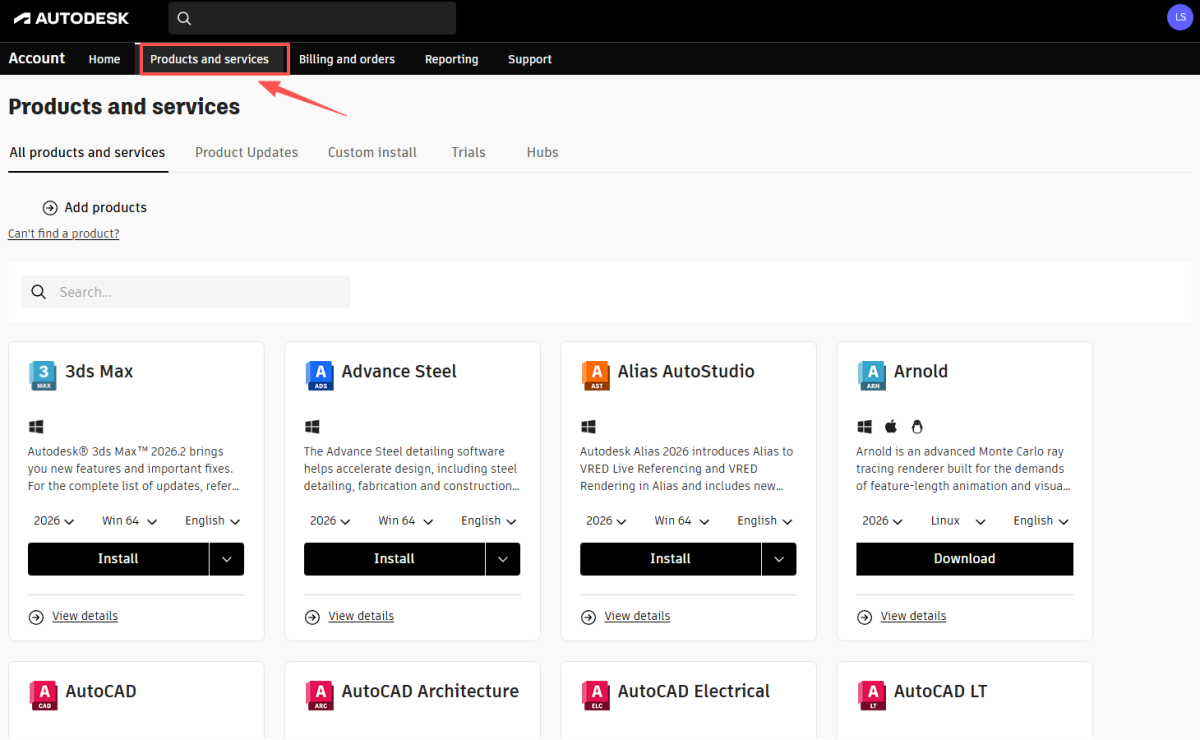
After successful activation, authorized products will appear under
Products and Services.
Once your account is authorized, you can download the software directly from your Autodesk portal.
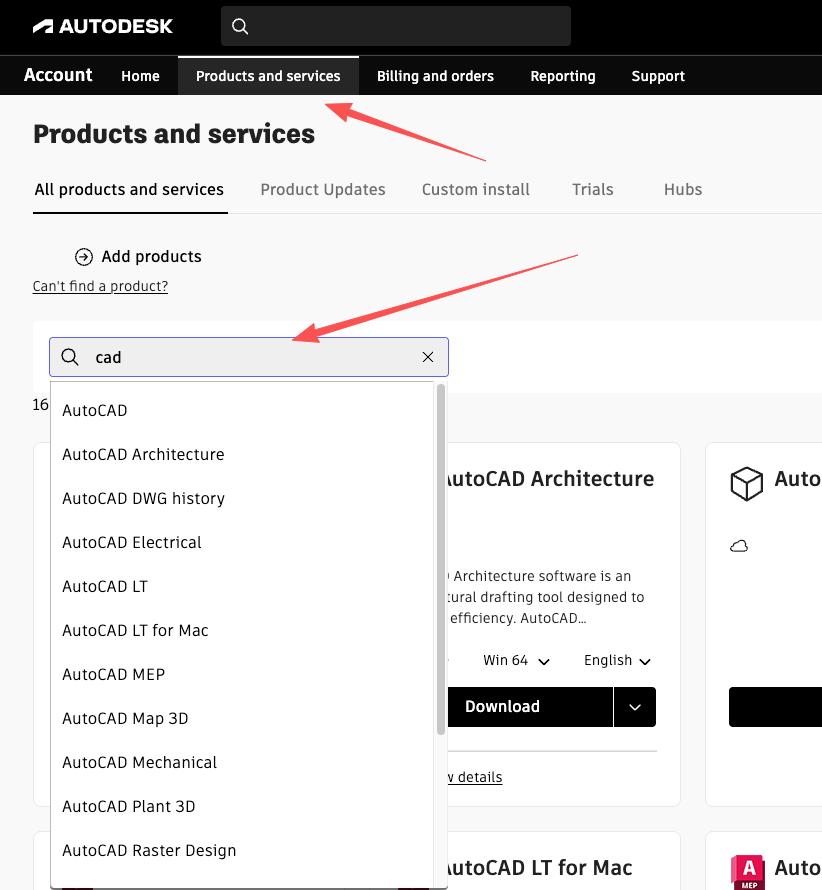
Navigate to the Products and services tab. Use the search bar to quickly locate your specific software (e.g., type “cad” to find AutoCAD).
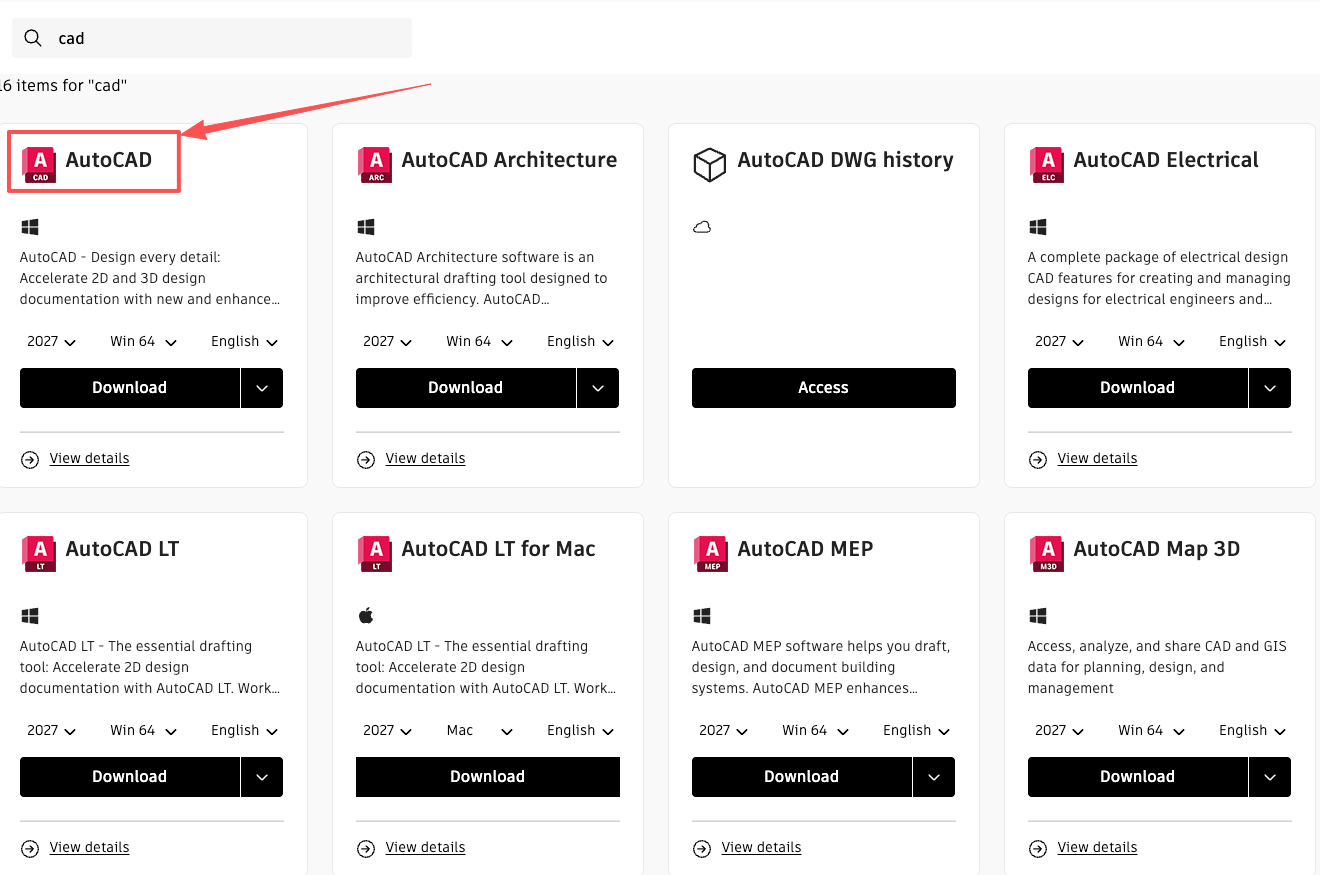
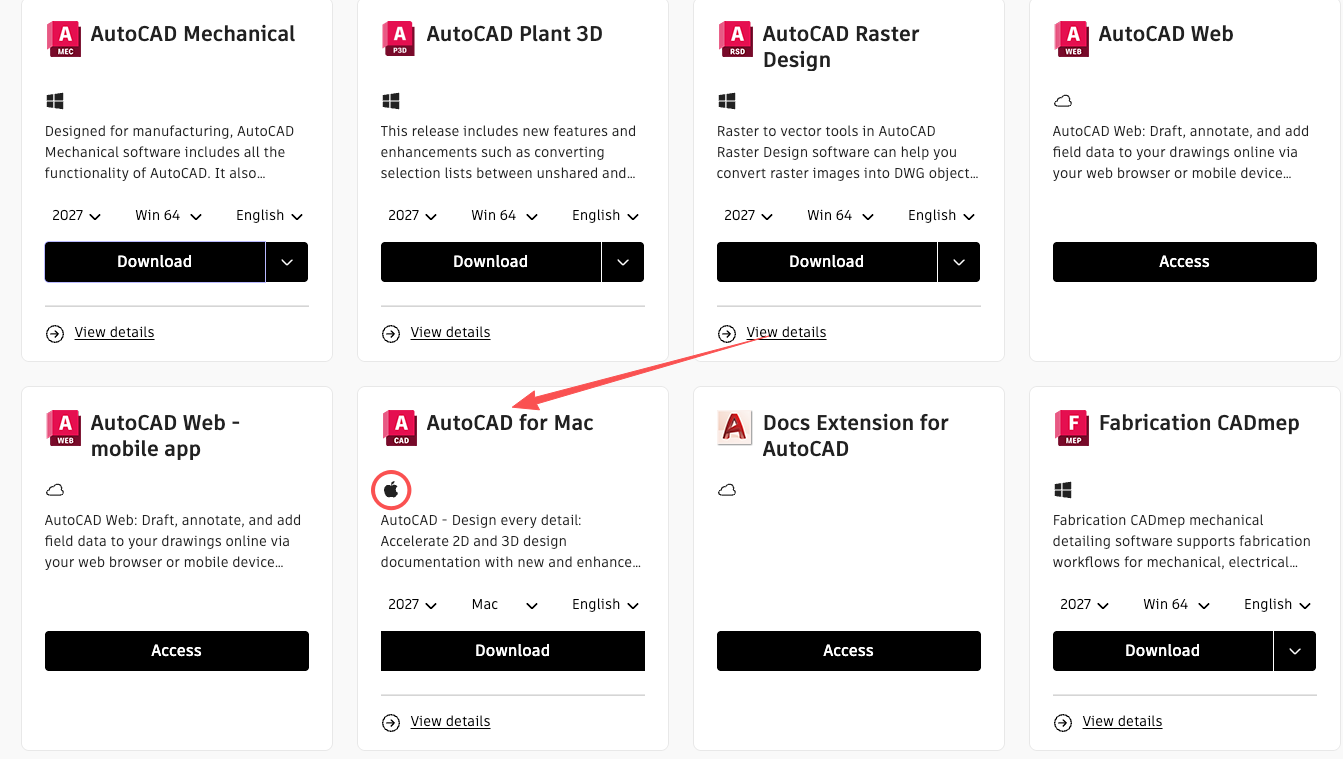
Click on the product tile that matches your operating system (e.g., select AutoCAD for Windows, or AutoCAD for Mac for macOS).
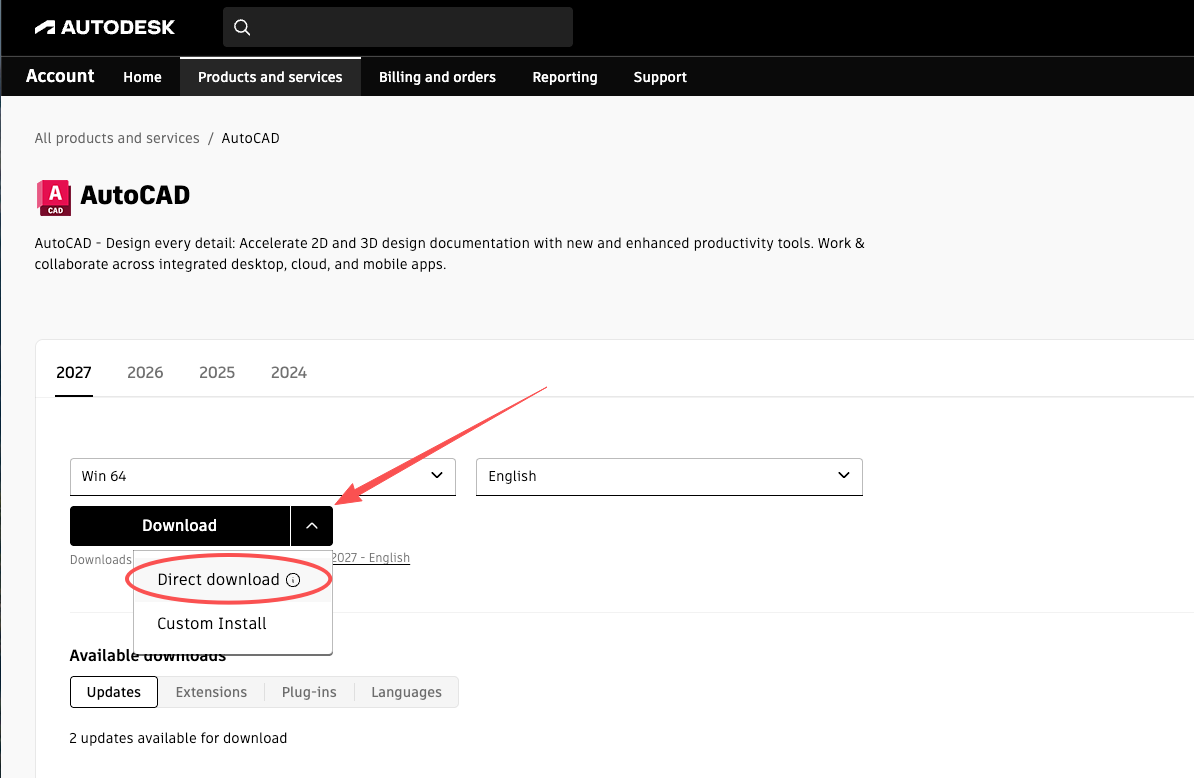
Select your desired Version year, Platform (Win 64), and Language. For a more stable installation experience, click the down arrow next to the Download button and select Direct download to get the full offline installer.
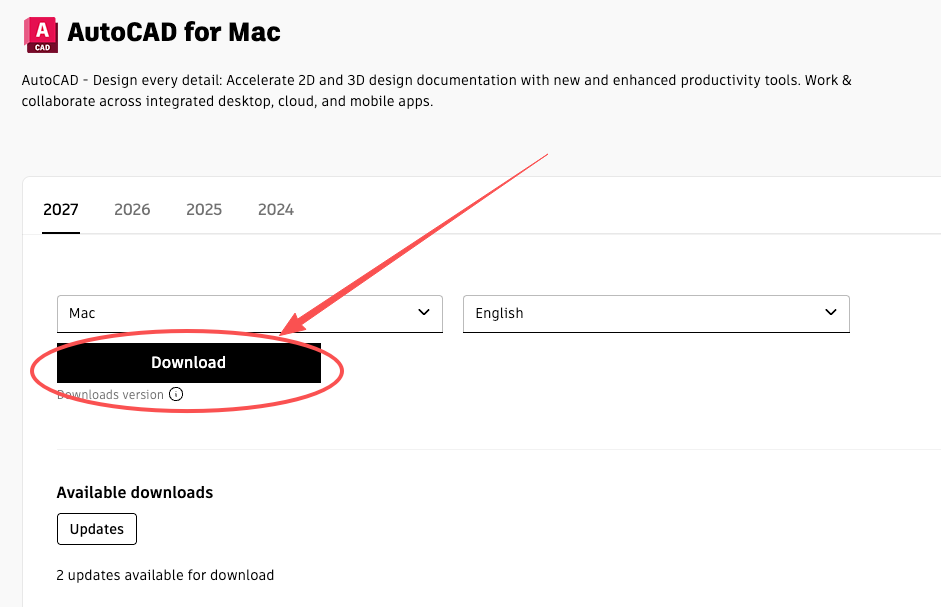
If you are downloading the Mac version, select your Version year and Language, then simply click the main Download button to get the installer.
Important:
Never share your password or verification codes.
Always make sure the domain is autodesk.com.
If you have previously installed a cracked or pirated version of Autodesk, you must completely clean your system before installing the official software to avoid license conflicts.
CleanAutodesk.ps1 file and select Run with PowerShell.
If CleanAutodesk.ps1 cannot run with PowerShell due to system execution policies, follow these steps:
1. Open the CleanAutodesk.ps1 file with Notepad and copy all the text.
2. Open PowerShell as Administrator.
3. Paste the code into the PowerShell window and press Enter to run it.
Script Source Code (for manual copying):
# Check for Administrator privileges
if (!([Security.Principal.WindowsPrincipal][Security.Principal.WindowsIdentity]::GetCurrent()).IsInRole([Security.Principal.WindowsBuiltInRole] "Administrator")) { Start-Process powershell.exe "-NoProfile -ExecutionPolicy Bypass -File `"$PSCommandPath`"" -Verb RunAs; exit }

Write-Host "==========================================" -ForegroundColor Cyan
Write-Host "Preparing to clean Autodesk residual files and registry..." -ForegroundColor Cyan
Write-Host "WARNING: This operation is IRREVERSIBLE." -ForegroundColor Red
Write-Host "It will remove ALL Autodesk products and license data from this PC." -ForegroundColor Red
Write-Host "==========================================" -ForegroundColor Cyan
Start-Sleep -Seconds 3

# 1. Stop Services
Write-Host "`n[1/4] Stopping Autodesk related services..." -ForegroundColor Yellow
$services = @(
    "AdskLicensingService",
    "Autodesk Desktop App Service",
    "FlexNet Licensing Service",
    "FlexNet Licensing Service 64"
)

foreach ($service in $services) {
    if (Get-Service $service -ErrorAction SilentlyContinue) {
        Stop-Service -Name $service -Force -ErrorAction SilentlyContinue
        Write-Host "Service Stopped: $service" -ForegroundColor Green
    }
}

# 2. Kill Processes
Write-Host "`n[2/4] Terminating background processes..." -ForegroundColor Yellow
$processes = @("AdAppMgrSvc", "AdskLicensingService", "AutodeskDesktopApp", "LMU", "FNPLicensingService64")
foreach ($proc in $processes) {
    Stop-Process -Name $proc -Force -ErrorAction SilentlyContinue
}

# 3. Delete Directories
Write-Host "`n[3/4] Deleting residual file directories..." -ForegroundColor Yellow
$folders = @(
    "$env:ProgramData\Autodesk",
    "$env:ProgramData\FLEXnet",
    "C:\Program Files\Autodesk",
    "C:\Program Files\Common Files\Autodesk Shared",
    "C:\Program Files (x86)\Autodesk",
    "C:\Program Files (x86)\Common Files\Autodesk Shared",
    "$env:LOCALAPPDATA\Autodesk",
    "$env:APPDATA\Autodesk"
)

foreach ($folder in $folders) {
    if (Test-Path $folder) {
        Remove-Item -Path $folder -Recurse -Force -ErrorAction SilentlyContinue
        Write-Host "Deleted: $folder" -ForegroundColor Green
    } else {
        Write-Host "Not Found (Skipped): $folder" -ForegroundColor Gray
    }
}

# 4. Clean Registry
Write-Host "`n[4/4] Cleaning registry keys (HKLM & HKCU)..." -ForegroundColor Yellow
$regKeys = @(
    "HKLM:\SOFTWARE\Autodesk",
    "HKCU:\Software\Autodesk",
    "HKLM:\SOFTWARE\FLEXlm License Manager"
)

foreach ($key in $regKeys) {
    if (Test-Path $key) {
        Remove-Item -Path $key -Recurse -Force -ErrorAction SilentlyContinue
        Write-Host "Registry Key Deleted: $key" -ForegroundColor Green
    }
}

Write-Host "`n==========================================" -ForegroundColor Cyan
Write-Host "Cleanup Complete! Please restart your computer." -ForegroundColor Cyan
Write-Host "Note: Check 'C:\ProgramData\FLEXnet' manually if activation issues persist." -ForegroundColor Yellow
Write-Host "Press any key to exit..."
$null = $Host.UI.RawUI.ReadKey("NoEcho,IncludeKeyDown")