Office 2024 LTSC
Professional Plus
Complete installation and activation guide for Microsoft Office 2024 LTSC Professional Plus.


Click to Download Office Tool Plus
Please click the button below to download the latest tool:
Download Office Tool Plus Now
Note:
Recommended Windows versions: Windows 11 / Windows 10

Find the archive in the Downloads folder.
Right-click the downloaded file and choose:
“Mount” (if available)
or “Extract to current folder”
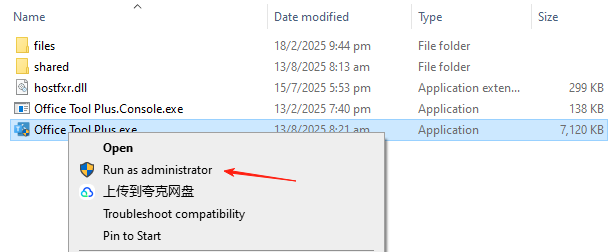
Enter the extracted folder, right-click Office Tool Plus.exe and select:
Run as administrator
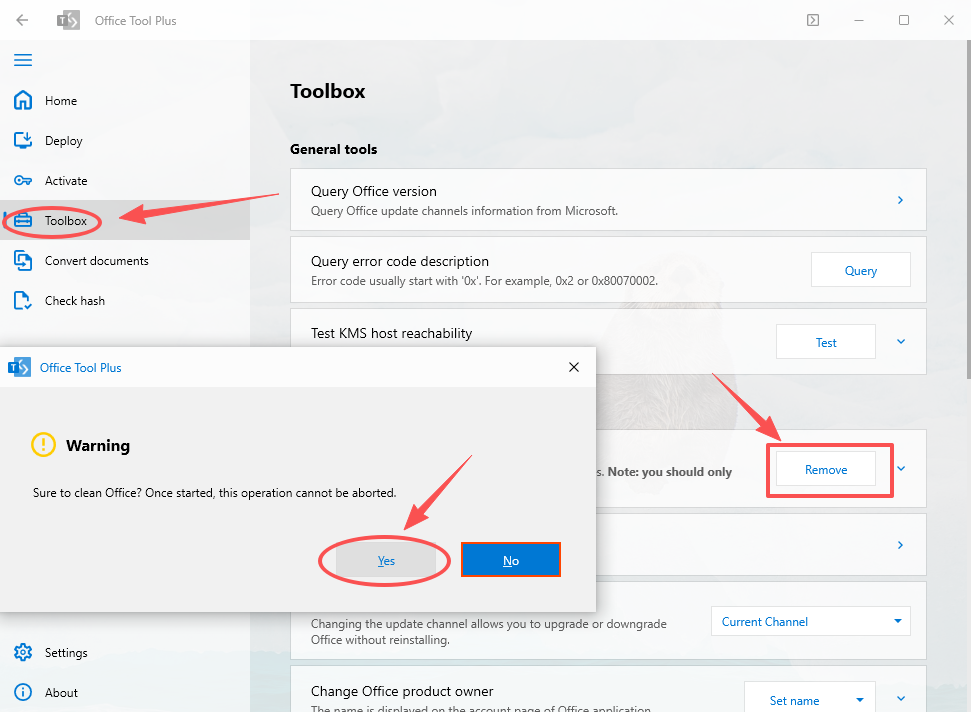
Remove previous versions of Office.
This process will take 30 seconds to 1 minute.
In the tool’s “Deploy” interface, configure as follows:
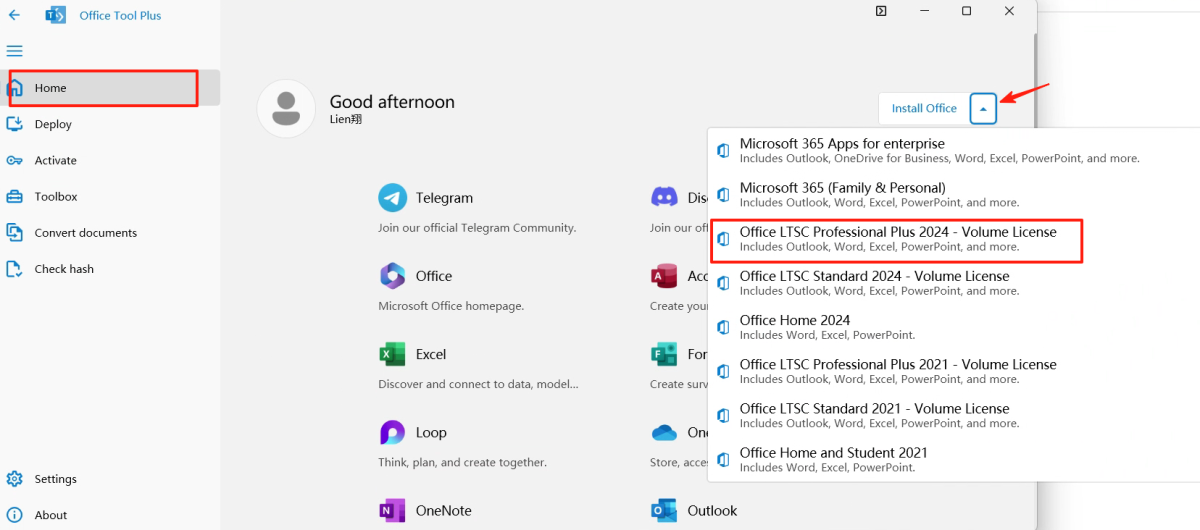
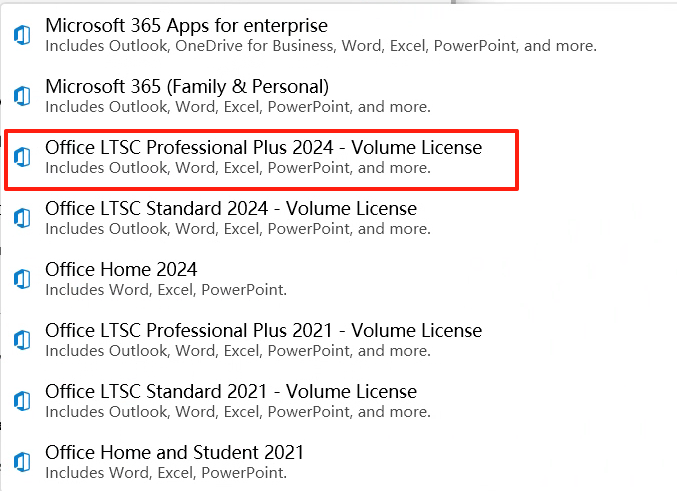
Important:
It must be the Microsoft Office LTSC Professional Plus 2024 version.
Click the “Start Deployment” button and wait for the installation to finish (about 15–30 minutes).
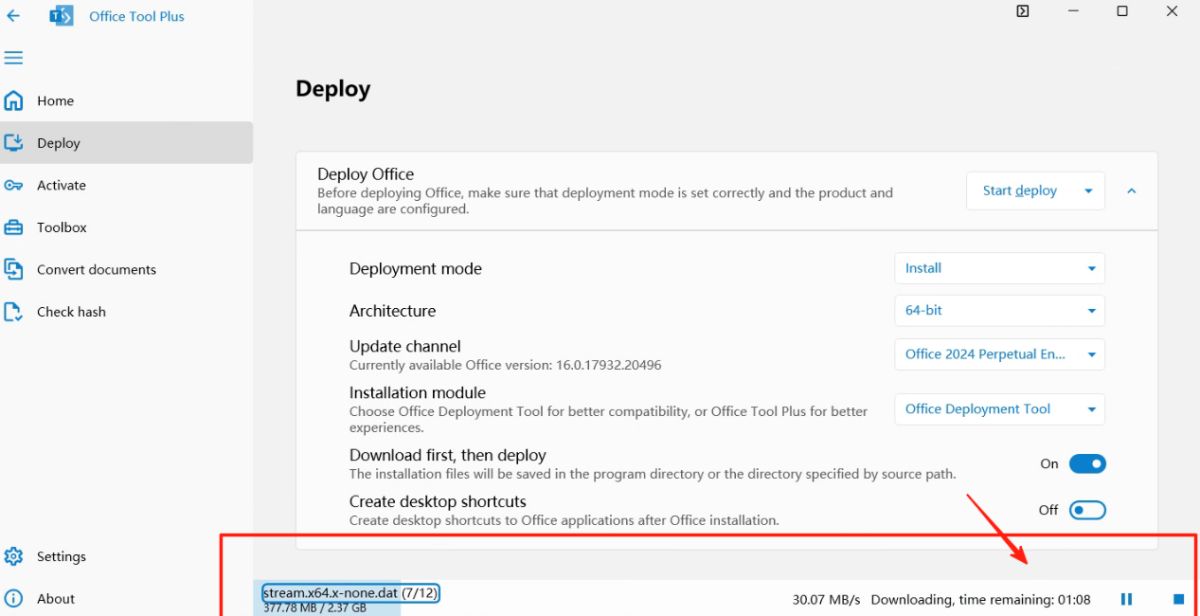
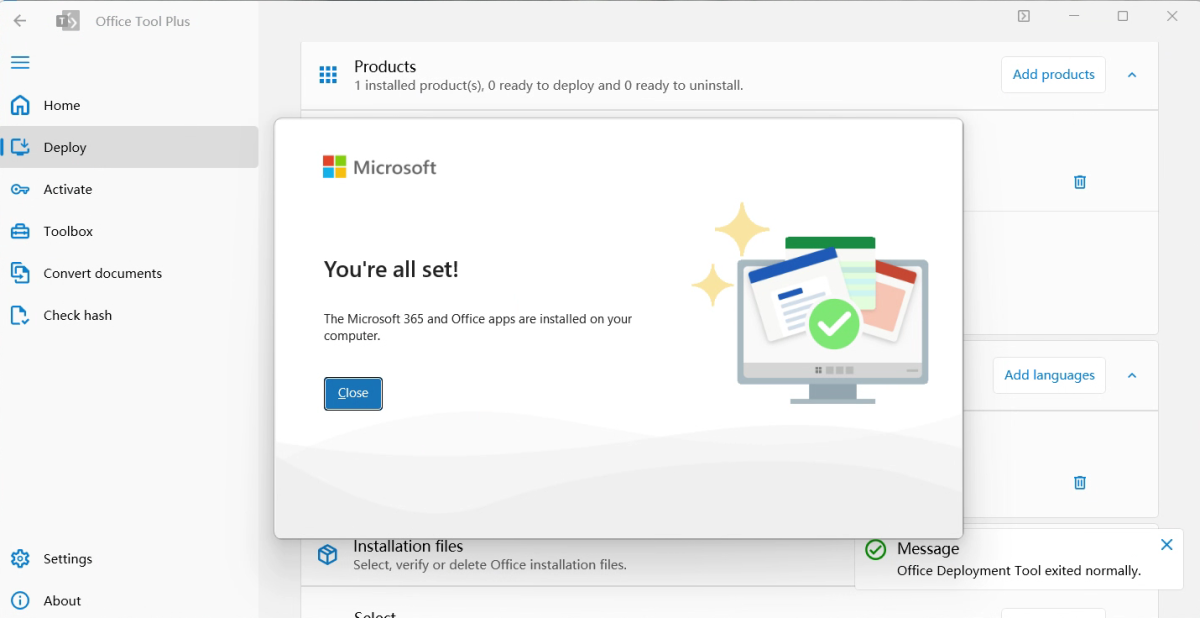
(It is also normal if this prompt does not appear)
Watch video tutorial – After installation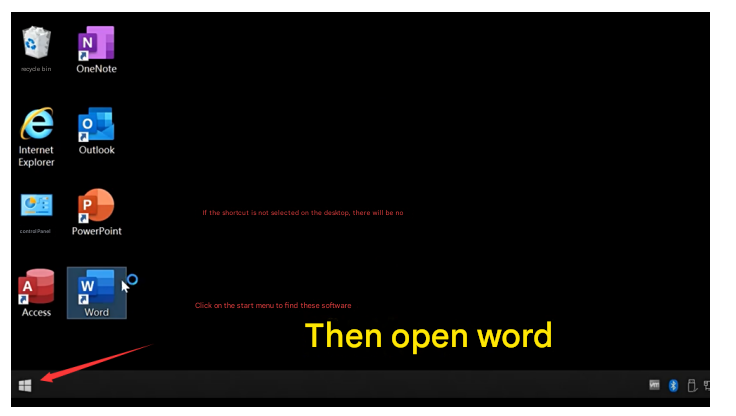
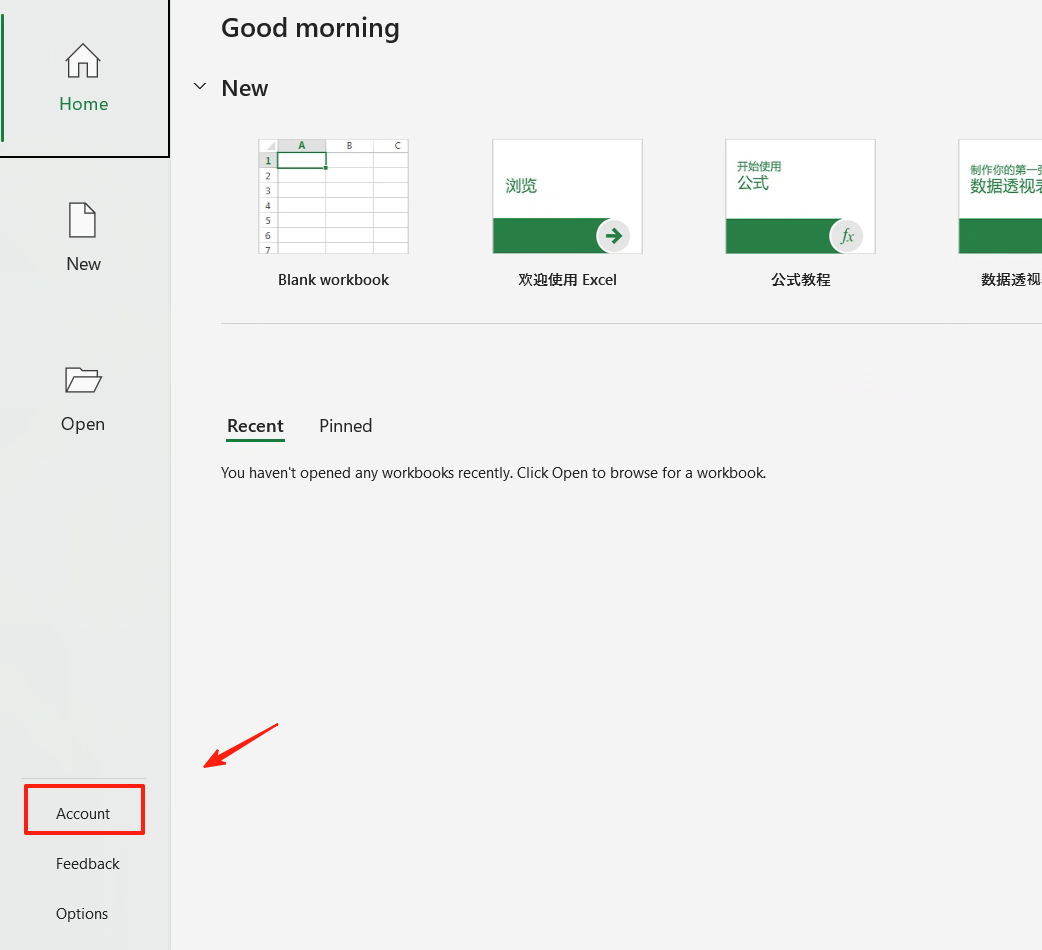
Statement:
If you encounter error messages, please contact customer service.
We will help you resolve it immediately!