
Quick Links
Use Windows 10 or 11 on a 64-bit (x64) PC. Allow at least 5 GB of free disk space; OriginLab recommends 8 GB of RAM. Use a Windows administrator account.
Step 1 Install OriginPro 2027 on Windows
-
Download and open the official installer
If setup installs the Microsoft Visual C++ runtime, let it finish. At the Origin 2027 welcome screen, click Next.
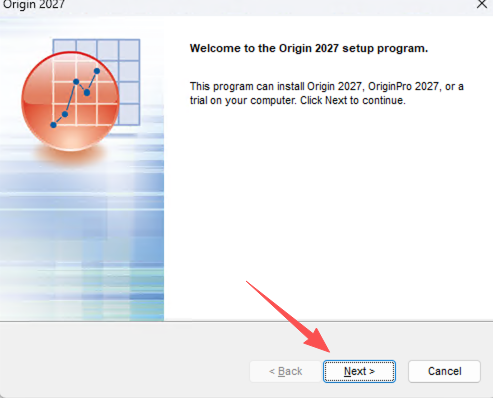
Click Next to start the setup wizard. -
Review the agreement and choose your edition
Review the license terms. If you agree, select the acceptance option and click Next.
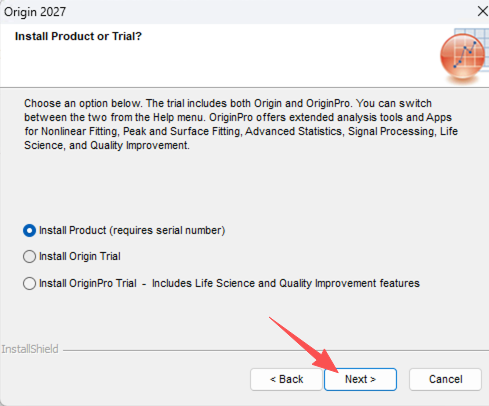
-
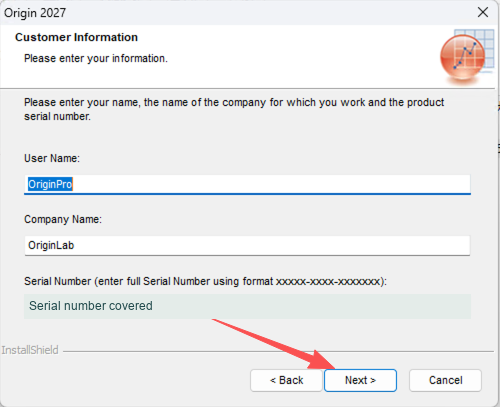
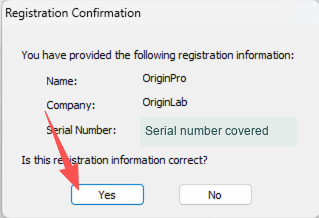
Enter and confirm your own serial number
Direct Click Next.
-
Choose an installation folder and optional components
Keep the default folder (typically
C:\Program Files\OriginLab\Origin2027) or use Browse to choose another local folder. On Select Features, choose only what you need, such as Embedded Python or SPSS Import, and click Next.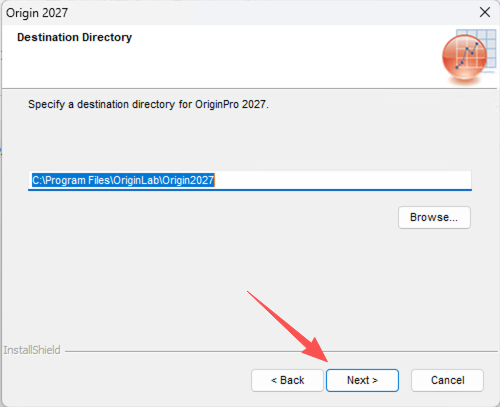
Keep the default folder or choose a different local folder. 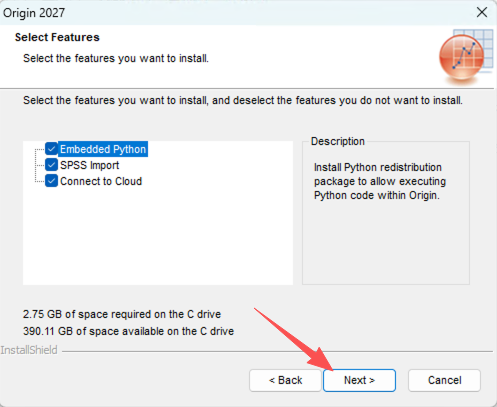
Review optional components before clicking Next. -
Choose who sees the shortcuts and finish setup
Current user only adds the Start menu shortcut for your Windows account. All users makes it visible to all Windows accounts on the computer. Neither changes the license. Continue, wait for Setup Complete, and click Finish.
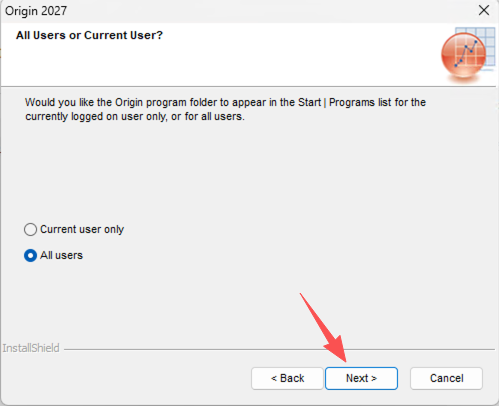
This choice controls shortcut visibility. It does not change license entitlements. 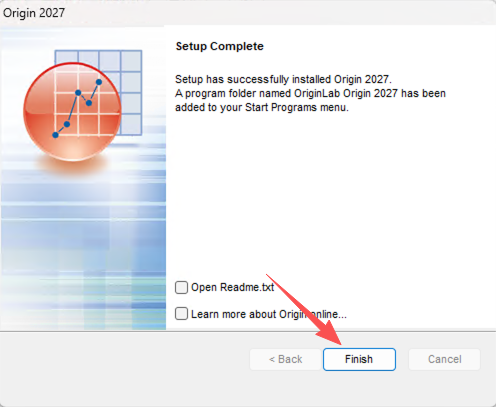
Click Finish once setup is complete.
Step 2 Launch, activate and check your license
-
Open Origin 2027
Search for Origin 2027 in the Windows Start menu. If asked for a User Files Folder, choose a writable local folder or keep the suggested location. If setup already activated an eligible upgrade, go to the verification step.
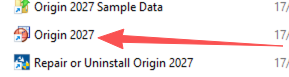
Search for Origin 2027 in the Windows Start menu. -
Activate with your Product Key
In License Activation, enter the Product Key
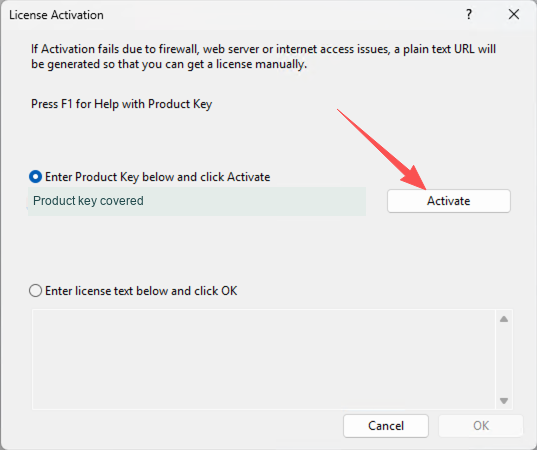
Use the Product Key field on the License Activation screen. -
Confirm that activation worked
When you see SUCCESS, click OK. Open Help → About Origin to verify the version and license type. You can also open a sample project to check that the software starts normally.
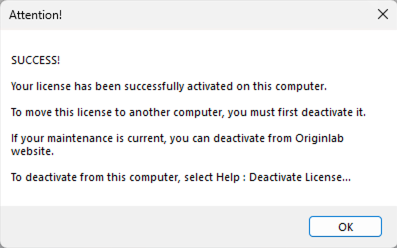
SUCCESS confirms activation on this computer.